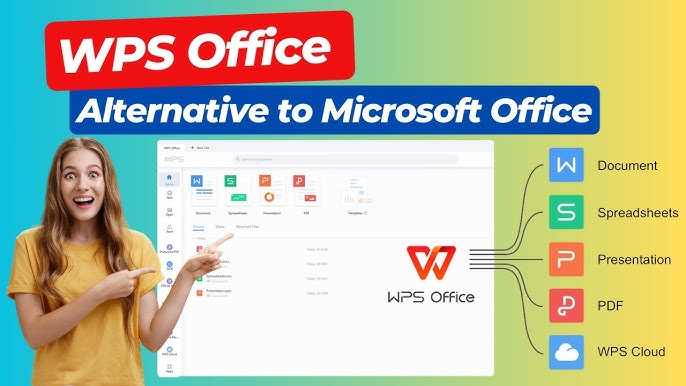
In today’s fast-paced digital world, collaboration is no longer just a perk—it’s a necessity. Teams across the globe need tools that allow them to work together seamlessly, regardless of location or time zone. WPS, a versatile office suite, has emerged as a powerful solution for real-time collaboration, enabling professionals to communicate, edit, and share documents efficiently. Understanding how to leverage WPS for teamwork can significantly enhance productivity and reduce the friction often associated with collaborative projects.
Real-Time Collaboration Capabilities in WPS
WPS offers a range of real-time collaboration features that make it easier than ever for teams to work together. One of the most notable aspects of WPS is its cloud integration. With WPS Cloud, multiple users can access the same document simultaneously, making edits and updates visible in real time. This eliminates the need for back-and-forth emails with attachments, which can often lead to version control issues and confusion.
Another powerful feature of WPS is its commenting system. Team members can leave feedback directly within the document, tag colleagues for specific suggestions, and track changes effortlessly. This feature streamlines communication by keeping all discussions tied to the content itself, reducing the need for separate messaging or lengthy meetings.
Additionally, WPS supports simultaneous editing across multiple devices. Whether a team member is working on a desktop, tablet, or smartphone, they can contribute to the document in real time. This flexibility ensures that collaboration is not hindered by hardware limitations or location constraints, making WPS an ideal solution for modern remote and hybrid work environments.
Enhancing Productivity with WPS Templates
One of the most effective ways to optimize real-time collaboration in WPS is by using templates. WPS provides a wide variety of templates for reports, presentations, spreadsheets, and more. Templates help teams maintain consistency in formatting and structure while allowing them to focus on the content rather than design.
When multiple team members work on a single document, templates ensure that everyone adheres to the same visual and organizational standards. This is particularly beneficial in professional settings where branding and presentation quality are critical. By leveraging WPS templates, teams can save time, reduce errors, and produce high-quality work faster.
Seamless File Sharing and Accessibility
A key factor in real-time collaboration is the ability to share files easily and securely. WPS Cloud simplifies this process by offering storage and sharing options that are both convenient and reliable. Team members can upload documents to the cloud and provide access to colleagues with just a few clicks. Permissions can be customized, allowing some users to edit while others can view or comment only.
This level of control ensures that sensitive information remains protected while still enabling efficient collaboration. Furthermore, WPS’s compatibility with other popular formats, such as Microsoft Office files and PDFs, means that teams can work together without worrying about compatibility issues. Real-time access combined with flexible file sharing allows projects to move forward smoothly, even when teams are dispersed across different locations.
Collaboration in Spreadsheets and Presentations
WPS is not limited to word processing. Its spreadsheet and presentation tools are equally effective for real-time teamwork. In WPS Spreadsheets, multiple users can input data, create formulas, and analyze information simultaneously. This collaborative approach reduces errors, improves accuracy, and accelerates decision-making processes.
Similarly, WPS Presentation enables teams to build slides together in real time. Users can add graphics, animations, and notes while seeing updates from colleagues instantly. This collaborative approach ensures that presentations are cohesive and polished, even when created under tight deadlines. The ability to work together on complex projects without the traditional bottlenecks is a significant advantage for businesses and educational institutions alike.
Integrating Communication Tools for Better Coordination
While WPS excels at document collaboration, combining it with communication tools enhances its effectiveness. WPS integrates seamlessly with chat and video conferencing platforms, allowing teams to discuss changes while working on documents. This combination of real-time editing and live communication reduces misunderstandings and accelerates the workflow.
For instance, if a team is preparing a report, they can review each section together via WPS Cloud while discussing improvements on a video call. Immediate feedback ensures that all team members are aligned, reducing the need for repeated revisions. By bridging the gap between communication and collaboration, WPS creates an environment where teams can operate efficiently and cohesively.
Version Control and Change Tracking
One of the challenges of real-time collaboration is managing changes and tracking contributions. WPS addresses this with robust version control features. Every change made to a document is recorded, allowing users to revert to previous versions if necessary. This functionality is crucial when multiple team members are working simultaneously, as it prevents accidental loss of important content.
Change tracking also provides accountability by showing who made each edit and when. Teams can review contributions, discuss modifications, and ensure that the final document meets the required standards. These features make WPS a reliable tool for both small projects and large-scale collaborative initiatives.
Accessibility and Inclusivity in Collaboration
WPS’s real-time collaboration tools also promote inclusivity by enabling participation from team members with varying technical skills. The intuitive interface, straightforward cloud integration, and mobile accessibility ensure that everyone can contribute effectively. Even team members who are not tech-savvy can edit documents, leave comments, and collaborate without frustration.
This inclusivity not only enhances productivity but also fosters a sense of teamwork and engagement. When every member can participate equally, the collaborative process becomes more efficient and harmonious, leading to better results and stronger team dynamics.
Tips for Maximizing Real-Time Collaboration in WPS
To fully leverage WPS for collaborative work, teams should adopt best practices that optimize efficiency. Clear communication is essential, so defining roles, responsibilities, and deadlines helps prevent confusion. Using WPS’s commenting and annotation tools ensures that feedback is organized and actionable.
Regularly saving and backing up documents in WPS Cloud is another crucial step. While real-time collaboration minimizes the risk of data loss, having backups provides an additional layer of security. Teams should also take advantage of templates, consistent formatting, and standardized naming conventions to maintain clarity and professionalism throughout the project.
Conclusion
Working together in real-time has become a cornerstone of modern productivity, and WPS provides the tools necessary to make this collaboration seamless. Its cloud integration, simultaneous editing, commenting system, and compatibility with multiple devices and file formats create an environment where teams can work efficiently and effectively. By incorporating templates, communication tools, and version control, WPS enables teams to produce high-quality work while reducing errors, miscommunication, and delays.
Whether in a corporate office, educational institution, or remote work setting, WPS empowers teams to collaborate in real time with ease. By adopting best practices and fully utilizing WPS’s features, organizations can enhance productivity, improve document quality, and foster a culture of teamwork. Real-time collaboration with WPS is not just a tool—it’s a strategic advantage in achieving professional success.